JusDigital: Web Interface and AI with Natural Language
A while back, I wrote on my blog about a project that was born from a Database course at UDESC. In that post, I covered what is perhaps the least glamorous part, but without a doubt the most important part of any system: relational modeling. Tables, keys, cardinalities, triggers. The invisible foundation that holds everything up.
Now it’s time to talk about what came next.
If in the first post the topic was “how to organize legal data in a relational database,” here the question is different: how does a normal human being interact with this data? Because it doesn’t matter if you have the best-modeled database in the world if the end user needs to open a terminal and type SQL to find out the status of a case.
This post covers two fronts that complete the system:
- A web interface designed to be clean, navigable, and useful — called JusDigital.
- An AI-powered API that translates natural language into SQL, and generates case summaries that are understandable to anyone.
Let’s break it down.
The Interface: JusDigital
The decision to go web
The original project had a command-line interface (CLI) with a numbered menu — that classic academic project style. It worked, but it was the kind of thing that only the developer could use without losing patience.
The obvious alternative would be a web frontend, and that’s exactly what we did. Plain HTML, plain CSS, vanilla JavaScript. The server? Java’s own built-in com.sun.net.httpserver.HttpServer.
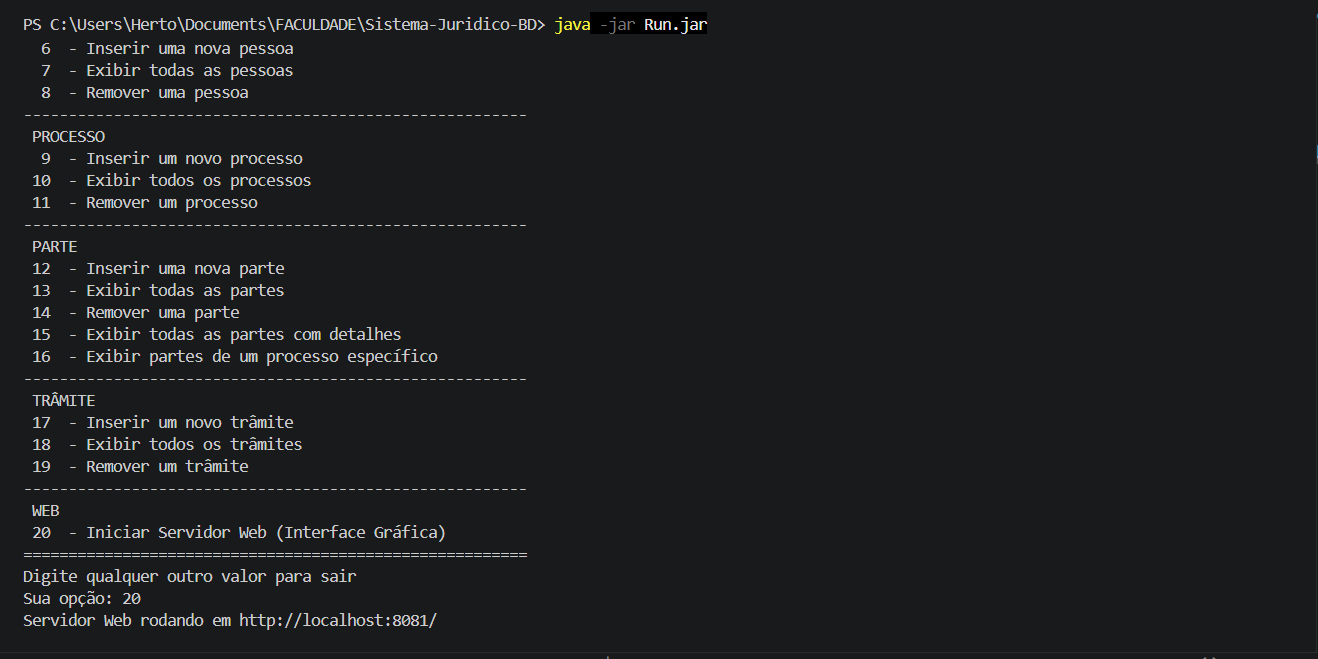
The result is that when you run java -jar Run.jar and type 20 in the menu, the server starts on port 8081 and you access http://localhost:8081/ in your browser. No need to install anything besides Java.
The frontend architecture
The front-end is composed of 13 HTML pages that communicate with the Java server via fetch(). There’s no SPA, no client-side routing. Each page is an independent .html file that makes its own requests and renders the result with direct DOM manipulation.
The structure:
src/view/
├── style.css                    # Design system completo
├── auth.js                      # Módulo de sessão (localStorage)
├── index.html                   # Landing page + busca global
├── login.html                   # Autenticação
├── cadastro.html                # Registro de usuários
├── processos.html               # Tabela de processos
├── visualizar_processo.html     # Detalhe + resumo por IA
├── busca.html                   # Busca unificada
├── advogados.html               # Catálogo de advogados
├── perfil_advogado.html         # Perfil individual
├── jurisprudencia.html          # Base de leis
├── acordao.html                 # Detalhe de lei + processos que a citam
├── diarios.html                 # Diários oficiais (DJe)
└── modelos.html                 # Modelos de petições
Is it a lot of code? No. Each file has between 70 and 200 lines. No build step, no transpilation. You open it in Notepad and you understand it.
Design: what guided the visual decisions
We drew heavy inspiration from JusBrasil — both in how information is organized and in the user experience. The idea was to create something that a legal professional would already feel familiar with upon opening it.
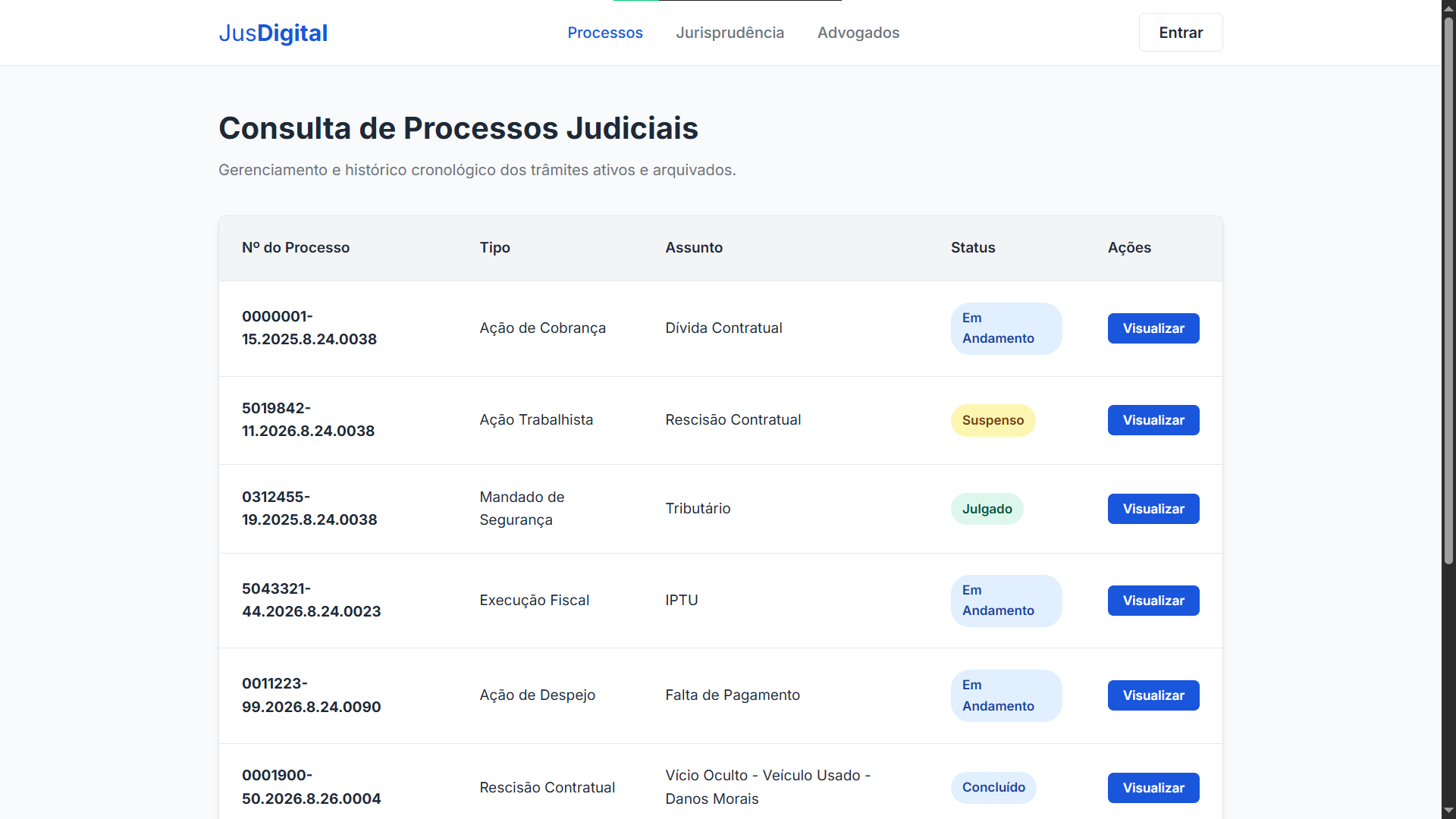
The font is Inter (Google Fonts), which is basically the default font of any interface that wants to look professional without drawing attention to itself. The colors follow a sober palette: institutional blue (#1a56db) as the primary color, grays for text and background, and status badges with visual semantics — green for completed, blue for in progress, yellow for suspended.
The CSS uses :root variables as a design system. No color, font size, or spacing is hardcoded in the components. Everything references tokens. This is a decision that seems like overkill until the day you need to change the shade of blue across the entire system.
:root {
    --primary-color: #1a56db;
    --text-color: #1f2937;
    --bg-color: #f9fafb;
    /* ... */
}
The screens that matter
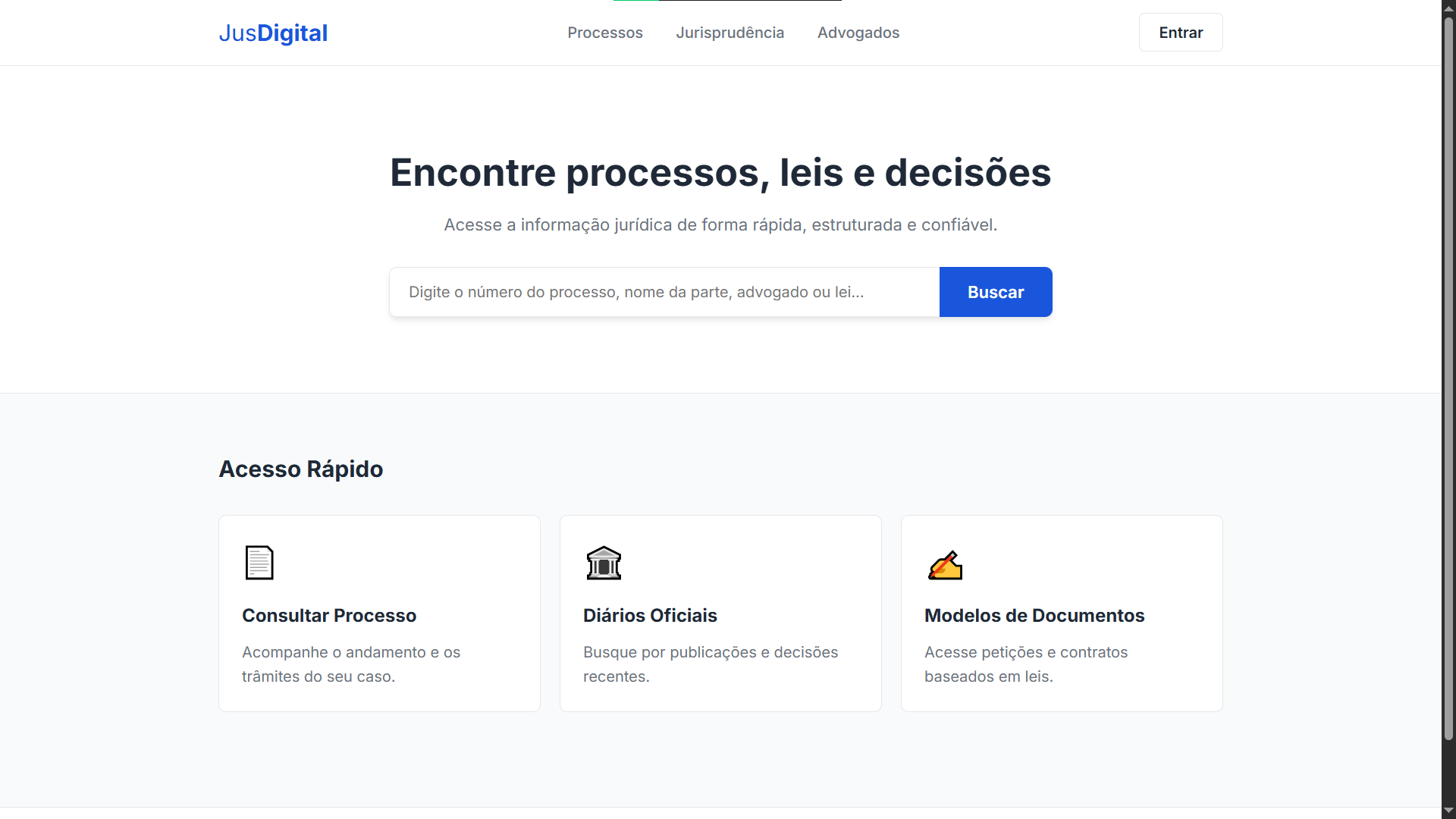
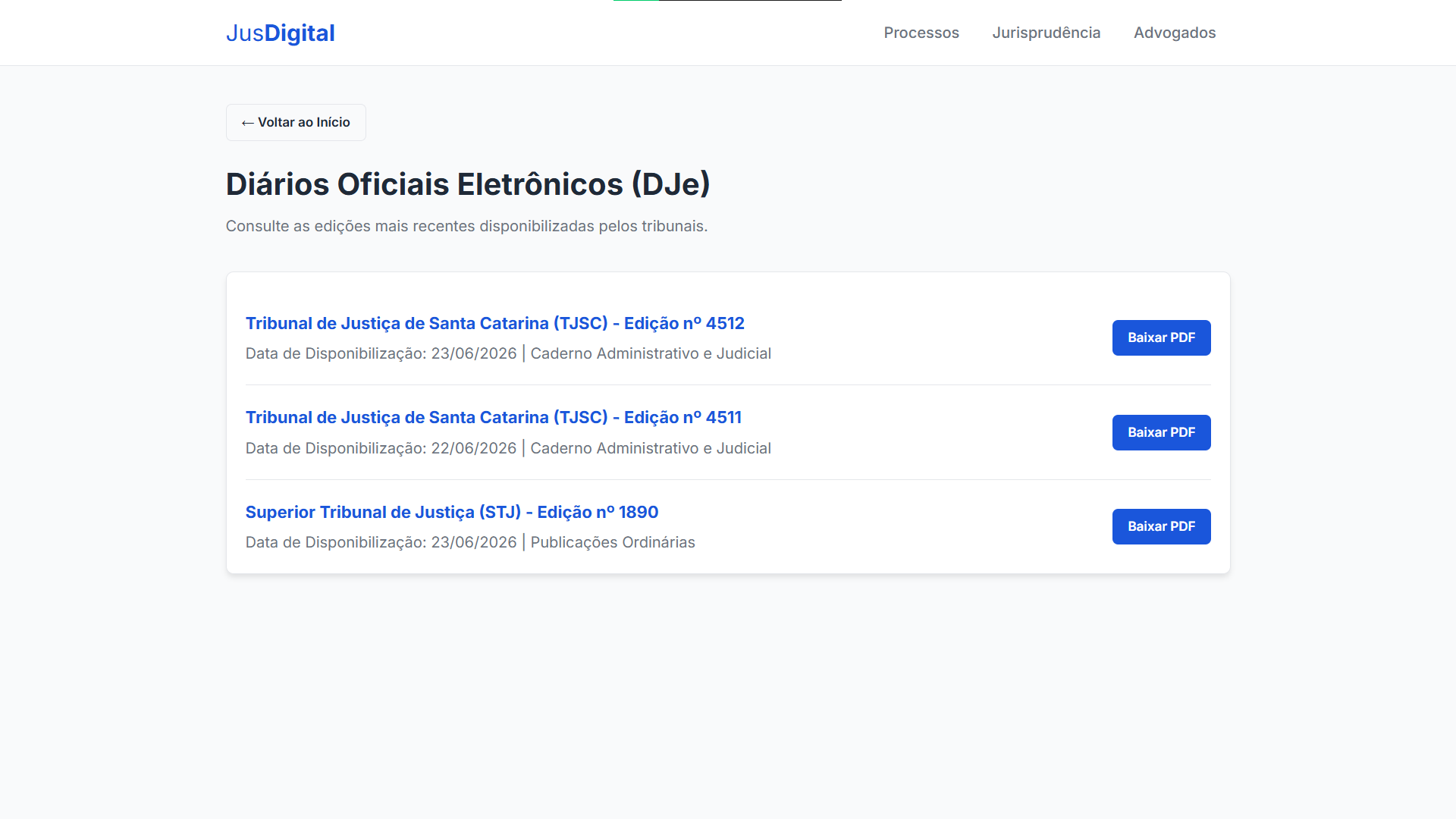
Home page — A global search at the top and three quick-access cards: Cases, Official Gazettes, and Document Templates. No hamburger menu, no sidebar, no onboarding tutorial. You open it and you know what to do.
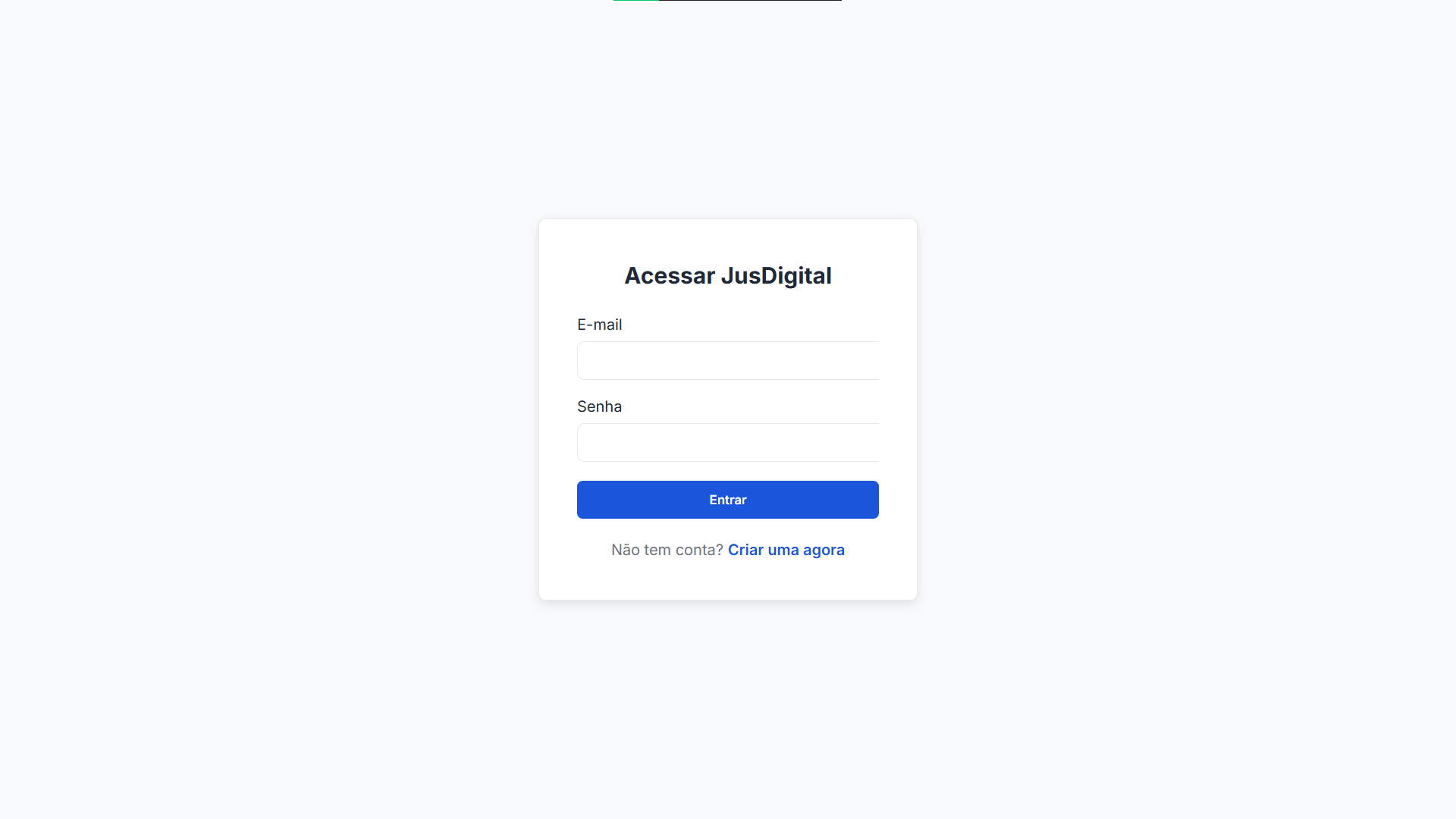
Authentication — Login and registration with simple forms. The Java back-end validates against a Usuario table in the database. Session management uses localStorage — when logged in, the header’s “Sign In” button becomes “Hello, {name}” with a logout option. The auth.js runs on all pages at DOMContentLoaded.
Case list — A table that consumes /api/processos and renders the number, type, subject, and status with colored badges. Each row has a “View” button that leads to the detail page.
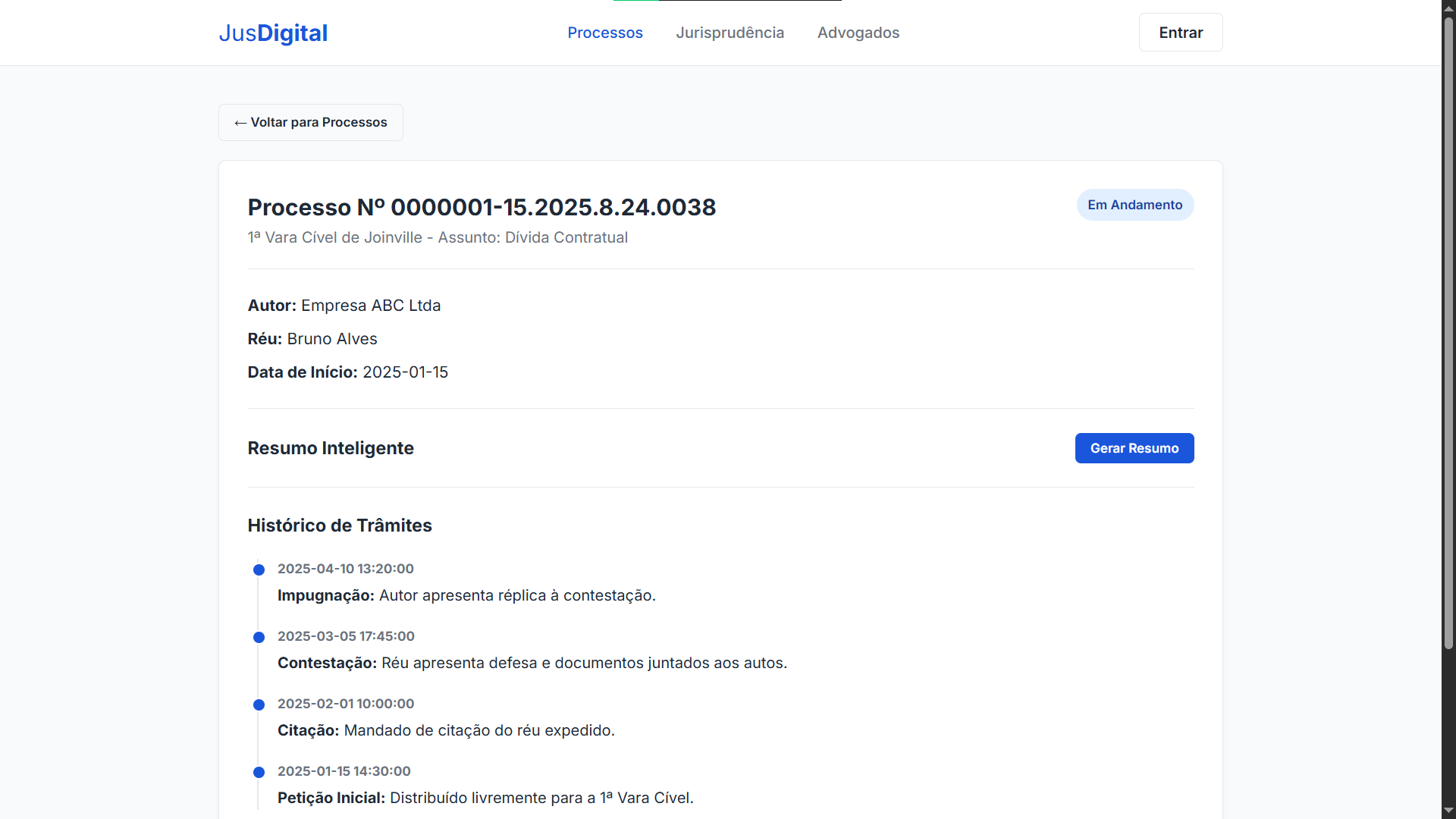
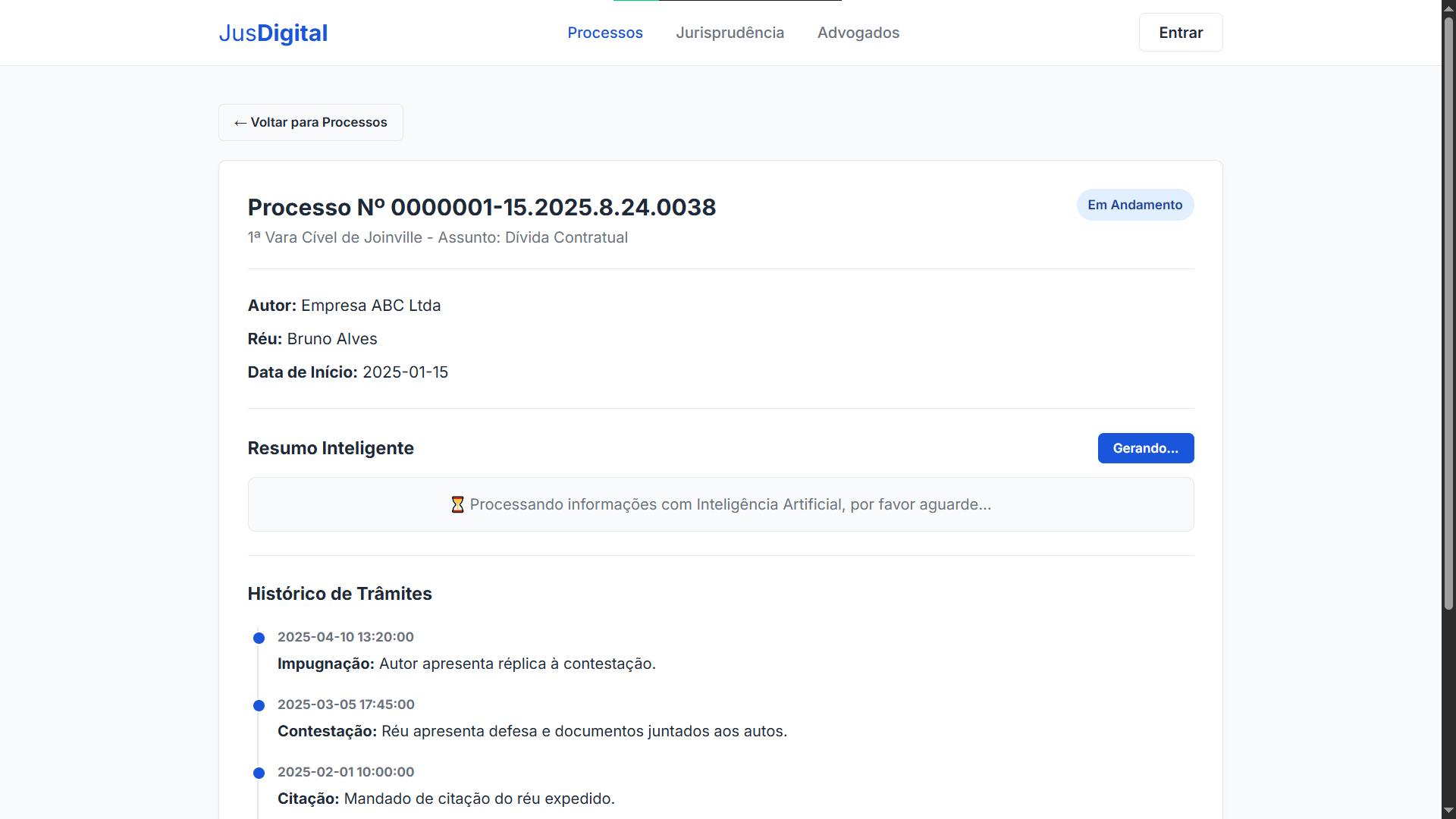
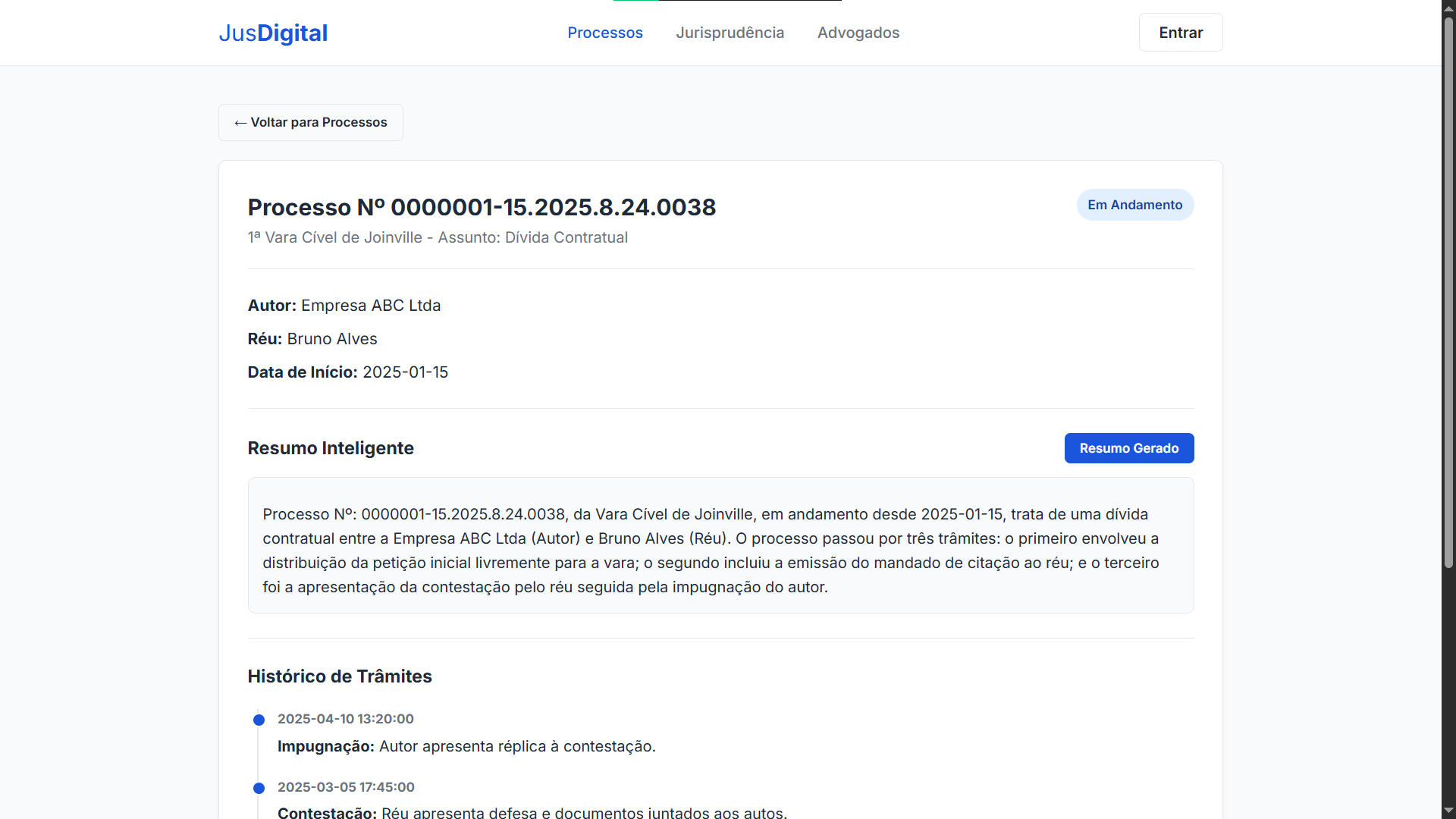
Case detail — This is the richest screen. It shows the case number, the court, the parties involved (plaintiff, defendant), and a timeline with the full history of proceedings. But the highlight is the “Smart Summary” section, which connects the frontend with the AI API. More on that later.
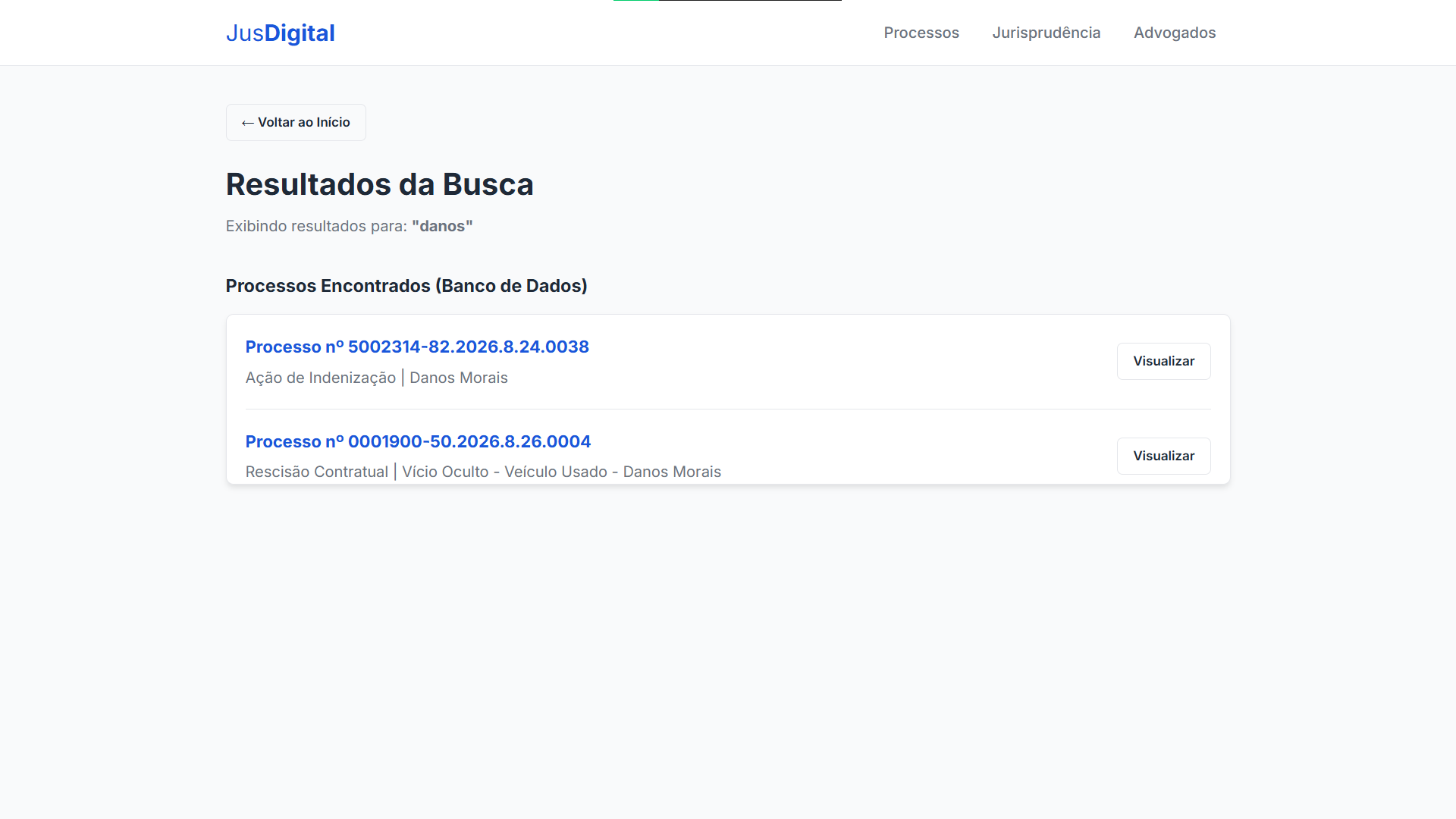
Unified search — The home page search redirects to busca.html?query=..., which fires a Promise.all against three endpoints (/api/processos, /api/advogados, /api/leis) and filters the results on the client side. It’s a brute-force fulltext search — no Elasticsearch, no special indexes. It works because the data volume is small, and the simplicity pays off.
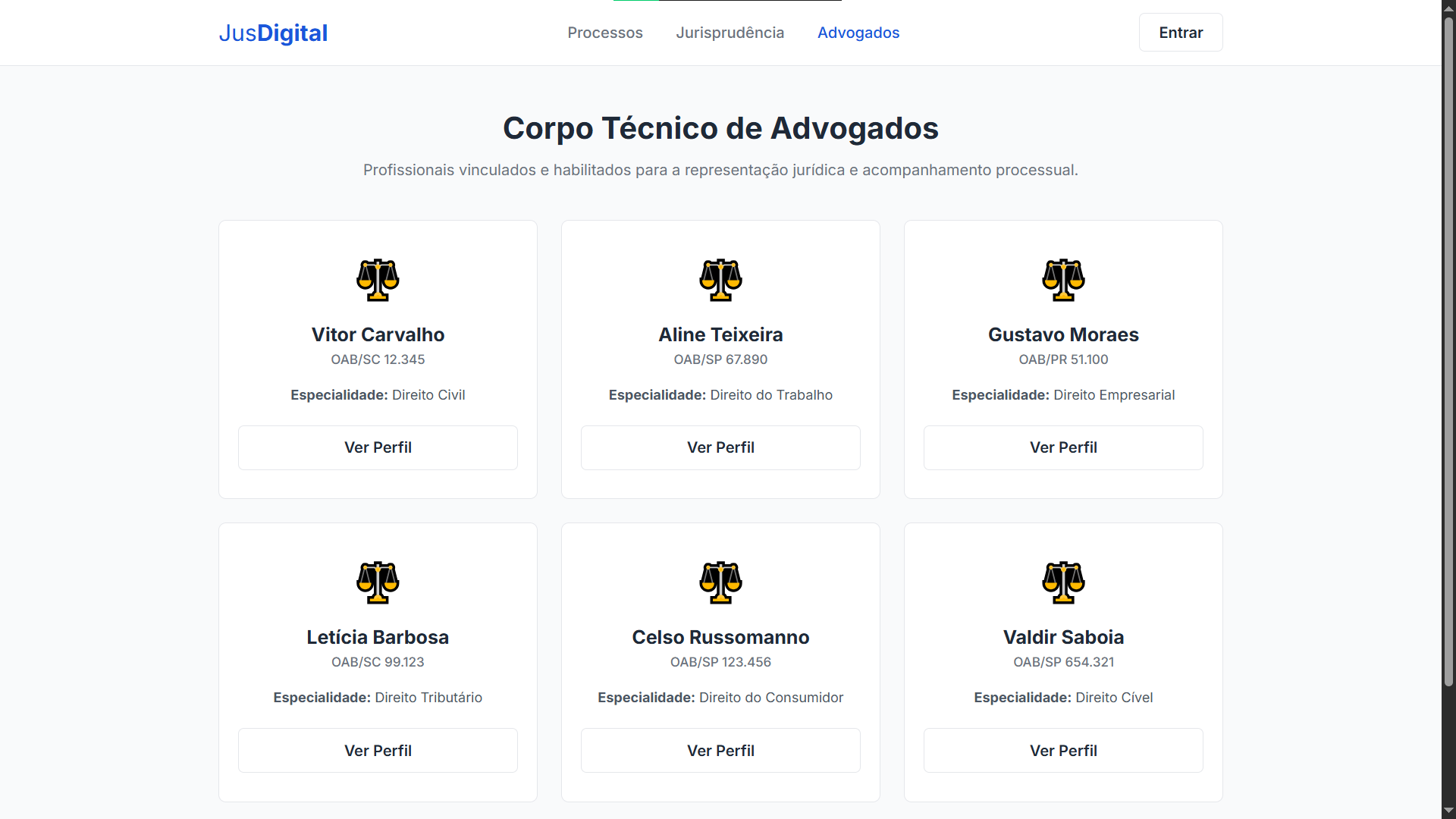
Lawyers — A responsive grid with cards showing name, bar number (OAB), and area of practice. Clicking “View Profile” leads to a page with a sidebar containing personal data and the list of cases the lawyer is involved in.
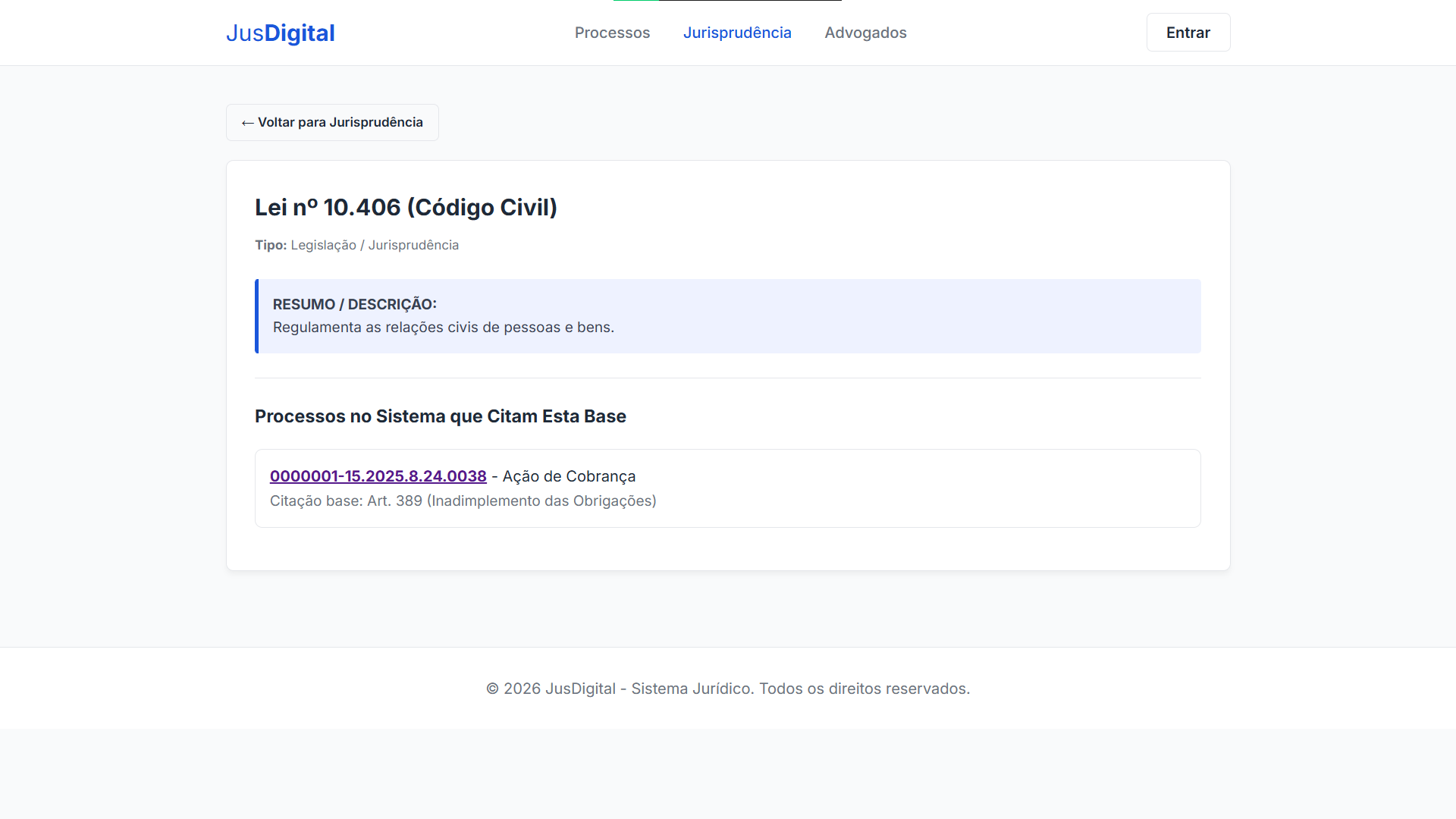
Case Law and Rulings — The case law page lists the registered statutes. Clicking on a statute opens the ruling detail screen, which besides showing the text of the law, automatically lists all cases that cite it — with a direct link to each one.
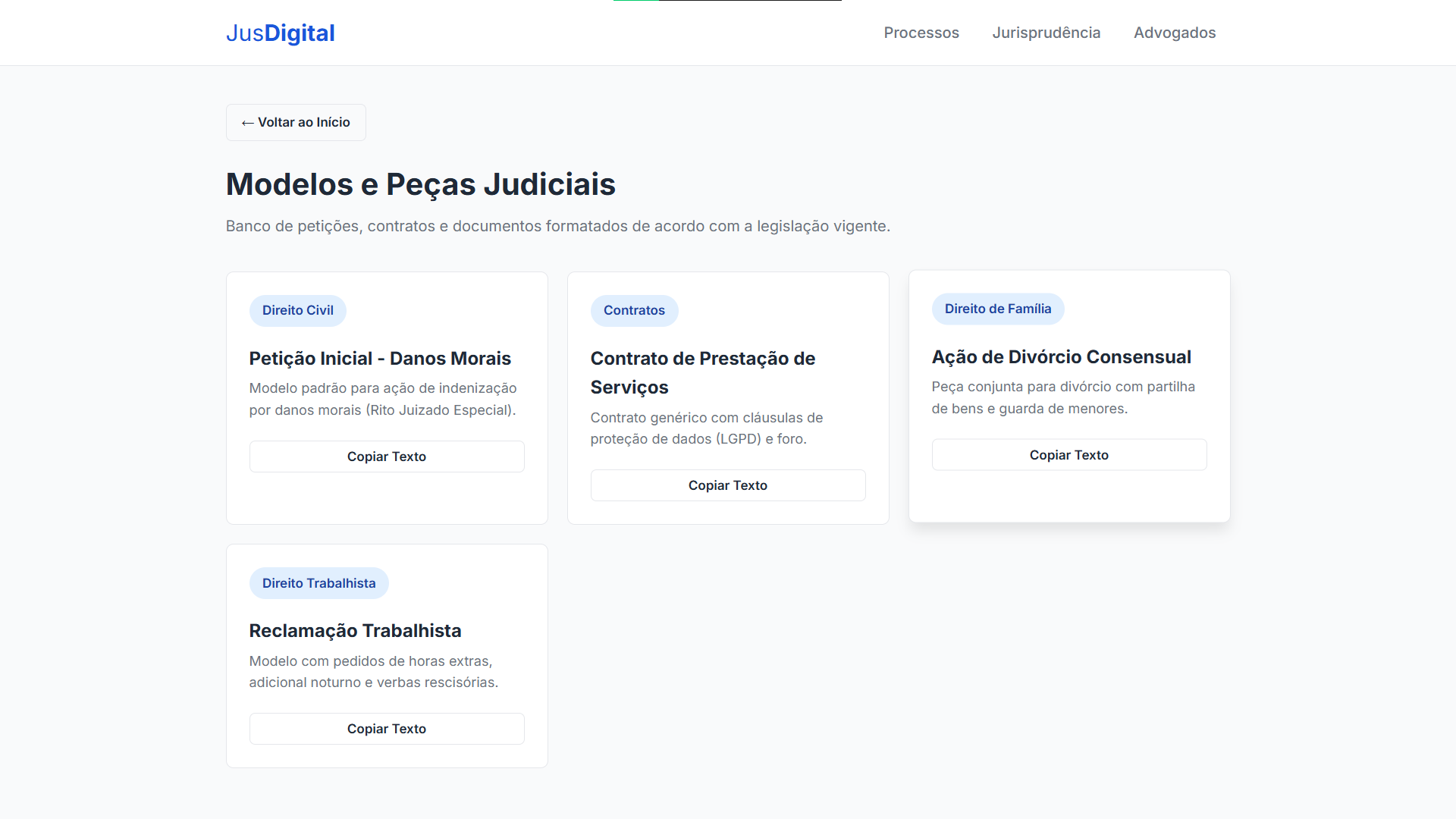
Document templates — Ready-made petitions and contracts with a “Copy Text” button that uses the Clipboard API. Copied? The button turns into “Copied! ✓” for two seconds and reverts back to normal. A simple micro-interaction that makes a difference.
The server behind it: pure Java, no Spring
The ServidorWeb.java is probably the most unusual part of the stack. Instead of using Spring Boot or Javalin, the HTTP server is com.sun.net.httpserver.HttpServer — a class that has existed in the JDK since Java 6 and that almost nobody uses in production, but which is perfect for academic projects and prototypes.
The server exposes 9 routes:
| Endpoint | Método | Descrição |
|---|---|---|
/ |
GET | Serve index.html e arquivos estáticos |
/api/processos |
GET | Lista todos os processos |
/api/processo?id=N |
GET | Detalhe de um processo (partes, trâmites, vara) |
/api/advogados |
GET | Lista todos os advogados |
/api/advogado?id=N |
GET | Perfil do advogado e seus processos |
/api/leis |
GET | Lista todas as leis |
/api/lei?id=N |
GET | Detalhe da lei e processos que a citam |
/api/login |
POST | Autenticação |
/api/cadastro |
POST | Registro de novo usuário |
Each handler is an inner class that receives the JDBC Connection in its constructor and builds the JSON manually with StringBuilder. Yes, no Jackson, no Gson. Each field is escaped by hand. Is it ugly? A little. Does it work? Perfectly.
The AI: When the User Doesn’t Know SQL
The real problem
Let’s be honest: the front-end solves the navigation problem. If you want to see the list of cases, you click “Cases.” If you want details, you click “View.” But what about when the question is more sophisticated?
- “Which eviction actions were filed against Adriano in 2026?”
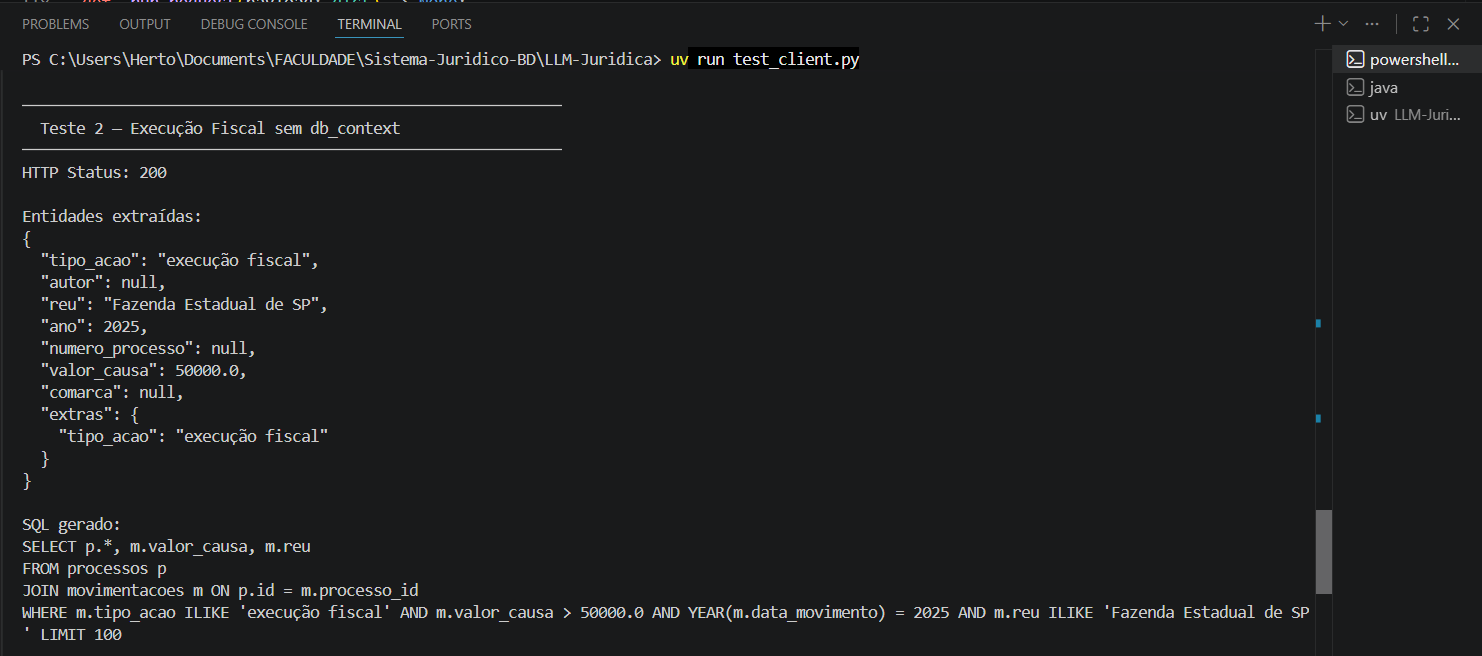
- “List the State Treasury cases with a value above 50 thousand”
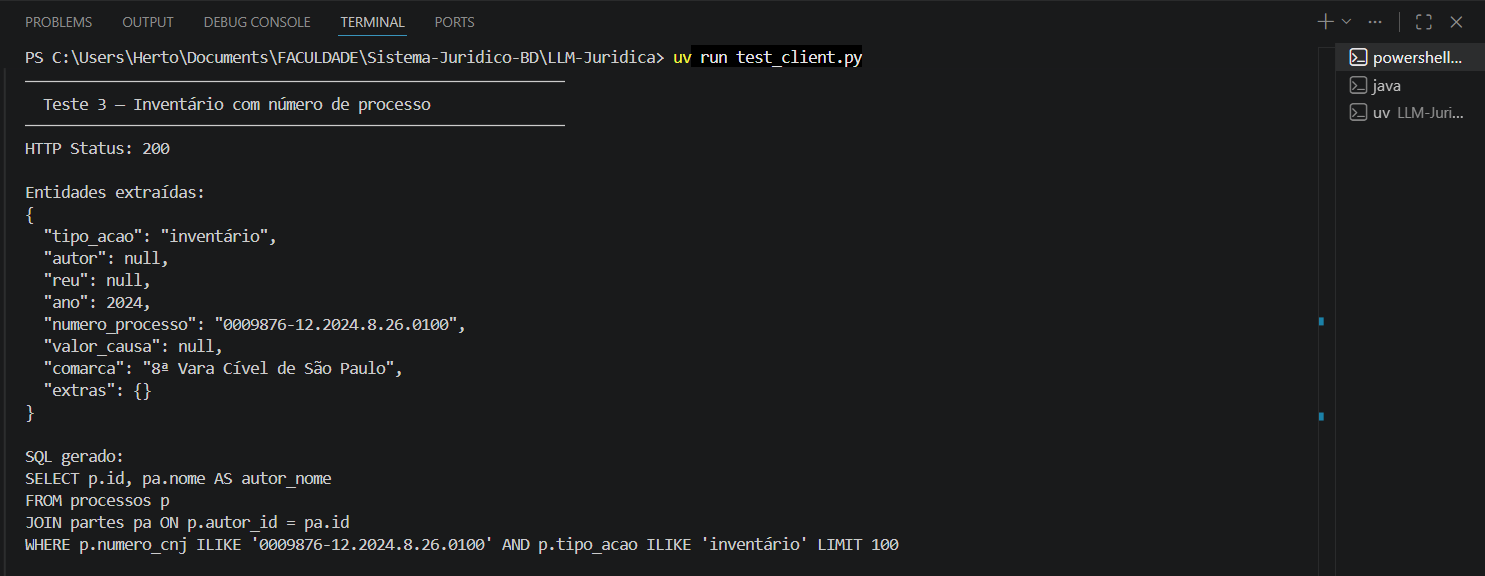
- “Summary of case 0001234-55.2026.8.26.0001”
These questions exist in the user’s head in natural language. To answer them, someone would have to write SQL. The idea behind the AI API is to eliminate that manual translation.
The stack: FastAPI + LiteLLM + Ollama
The API was built in Python with FastAPI and runs on port 8000. Communication with the language model uses LiteLLM as an abstraction layer, which means switching providers (local Ollama → OpenAI → OpenRouter) is a matter of changing an environment variable.
The default model is Qwen 2.5 (3B) running locally via Ollama. Yes, 3 billion parameters. Runs on a regular laptop’s CPU. It’s not GPT-4, but for generating SQL from simple queries, it works surprisingly well.
LLM-Juridica/
├── main.py            # FastAPI, rotas e CORS
├── llm_service.py     # Lógica das 3 camadas de IA
├── prompts.py         # Todos os prompts centralizados
├── schemas.py         # Modelos Pydantic (request/response)
├── config.py          # Settings com Pydantic + .env
├── test_client.py     # Script de testes
└── pyproject.toml     # Dependências (uv)
The pipeline: 3 AI layers
This is the part that interested me the most during development. Instead of throwing the user’s question directly at the model and hoping for valid SQL to come out, the system uses a three-stage pipeline, each with its own prompt and responsibility:
Layer 1 — NER (Named Entity Recognition)
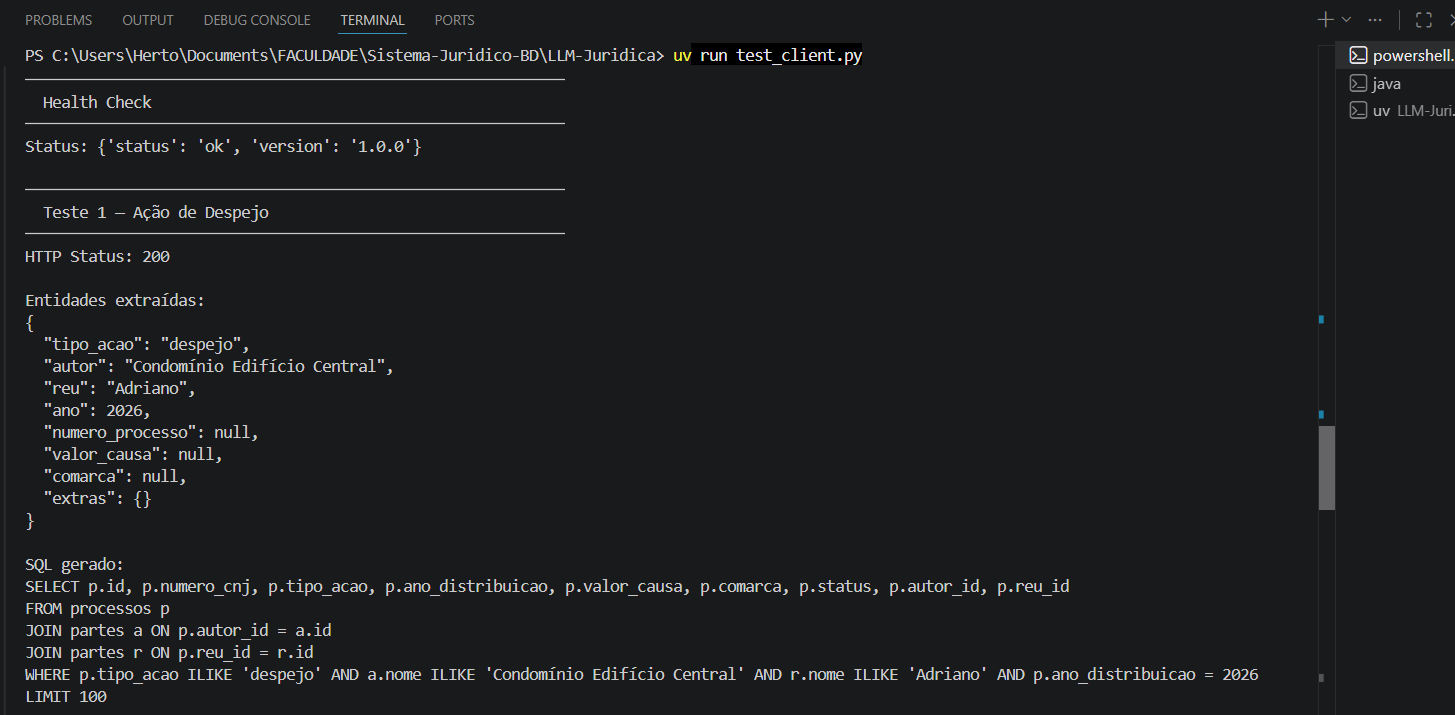
The first layer receives the natural language question and extracts structured entities. The model returns a JSON with fields like tipo_acao, autor, reu, ano, numero_processo, valor_causa, comarca.
Prompt (simplified):
“You are a specialist in legal entity extraction. Analyze the query and return ONLY a valid JSON. Use null for fields not found.”
Input: "Eviction action by Condomínio Edifício Central against Adriano in 2026"
Output:
{
  "tipo_acao": "despejo",
  "autor": "Condomínio Edifício Central",
  "reu": "Adriano",
  "ano": 2026,
  "numero_processo": null,
  "valor_causa": null,
  "comarca": null,
  "extras": {}
}
The response parsing is robust: it uses regex to extract the {...} block even if the model wraps it in markdown, and validates it against a Pydantic schema. If the JSON comes back malformed, it returns HTTP 502 with a clear message.
Layer 2 — SQL Generation
The second layer receives the extracted entities + the database schema (optionally sent by the client) and generates a PostgreSQL SELECT query.
The most interesting point here is the database context injection. The client can send a db_context in the request with the tables, columns, and even sample data:
{
  "tables": {
    "processos": ["id", "numero_cnj", "tipo_acao", "ano_distribuicao", "autor_id", "reu_id"],
    "partes": ["id", "nome", "cpf_cnpj"]
  },
  "sample_data": {
    "processos": [{"id": 1, "tipo_acao": "despejo", "ano_distribuicao": 2026}]
  }
}
This makes the model use the exact names of tables and columns from the real database, instead of making them up. It’s the difference between generating SQL that runs and SQL that throws a “table not found” error.
Prompt rules:
SELECTonly (read-only).ILIKEfor text searches (case-insensitive).JOINbetween related tables.LIMIT 100always.
Layer 3 — Legal Summary
The third layer is independent of the first two. It receives raw data from a case (number, court, parties, proceedings) and generates a summary in accessible language for the general public.
This is the layer that the JusDigital front-end consumes when the user clicks “Generate Summary” on the case detail screen. The JavaScript collects all the visible information on the page, formats it as text, and sends a POST to http://localhost:8000/summary.
A basic validation against destructive SQL
When an LLM generates SQL, the natural question is: “what if it generates a DROP TABLE?”. We implemented a simple validation with regex in llm_service.py, in the validate_sql_safety() function:
_DANGEROUS_PATTERN = re.compile(
    r"\b(DROP|DELETE|UPDATE|INSERT|TRUNCATE|ALTER|CREATE|GRANT|REVOKE|EXEC|EXECUTE)\b",
    re.IGNORECASE,
)

def validate_sql_safety(sql: str) -> None:
    if not _SELECT_START_PATTERN.match(sql):
        raise HTTPException(status_code=422, detail="Query não começa com SELECT")
    match = _DANGEROUS_PATTERN.search(sql)
    if match:
        raise HTTPException(status_code=422, detail=f"Palavra proibida: {match.group()}")
Two basic checks:
- The query must start with
SELECT. - The query must not contain any of the 11 destructive keywords.
If either one fails, the API returns HTTP 422 and the query never reaches the database. This is not a robust security solution — it’s a minimal regex check that, combined with the prompt that instructs the model to generate only SELECT, already prevents the most obvious scenarios for this project’s context.
The endpoints
| Endpoint | Método | O que faz |
|---|---|---|
/health |
GET | Health check ({"status": "ok"}) |
/search |
POST | Pipeline NER + SQL Gen. Recebe query + db_context opcional |
/summary |
POST | Resumo jurídico. Recebe process_data (texto bruto) |
Auto-generated documentation is available at /docs (Swagger) and /redoc.
Configuration: swap the model in 1 line
The config.py uses pydantic-settings with .env. Each layer can use a different model:
NER_MODEL=ollama/qwen2.5:3B
NER_API_BASE=http://localhost:11434

SQL_MODEL=ollama/qwen2.5:3B
SQL_API_BASE=http://localhost:11434

SUMMARY_MODEL=ollama/qwen2.5:3B
SUMMARY_API_BASE=http://localhost:11434
Want to use GPT-4 for SQL generation and keep local Ollama for NER? Change two lines:
SQL_MODEL=gpt-4o
SQL_API_KEY=sk-...
LiteLLM takes care of the rest. Without changing a single line of code.
How to Run Everything
Prerequisites
- Java 17+ (for the web server and data API)
- PostgreSQL (with the
sistema_juridicodatabase configured) - Python 3.12+ (for the AI API)
- Ollama (to run the language model locally)
1. Database
Make sure PostgreSQL is running and execute the creation and population scripts in order:
# Conecte ao PostgreSQL e execute:
psql -U seu_usuario -d sistema_juridico -f refs/Script_BD.sql
psql -U seu_usuario -d sistema_juridico -f refs/PopularBanco.sql
2. Web Server (Java)
# Compilar (se necessário)
javac -d out src/*.java src/bean/*.java src/controller/*.java src/db/*.java src/model/*.java

# Empacotar
jar cfm Run.jar MANIFEST.MF -C out .

# Rodar
java -jar Run.jar
In the menu, type 20 to start the web server. Access http://localhost:8081/.
3. AI API
# Instalar Ollama (se ainda não tem)
# https://ollama.com/download

# Baixar o modelo
ollama pull qwen2.5:3b

# Instalar dependências da API
cd LLM-Juridica
pip install -r requirements.txt
# ou, se usar uv:
uv sync

# Configurar variáveis de ambiente
cp .env.example .env
# Edite o .env se necessário

# Rodar a API
uvicorn main:app --reload
The API will be available at http://localhost:8000/. Swagger documentation at http://localhost:8000/docs.
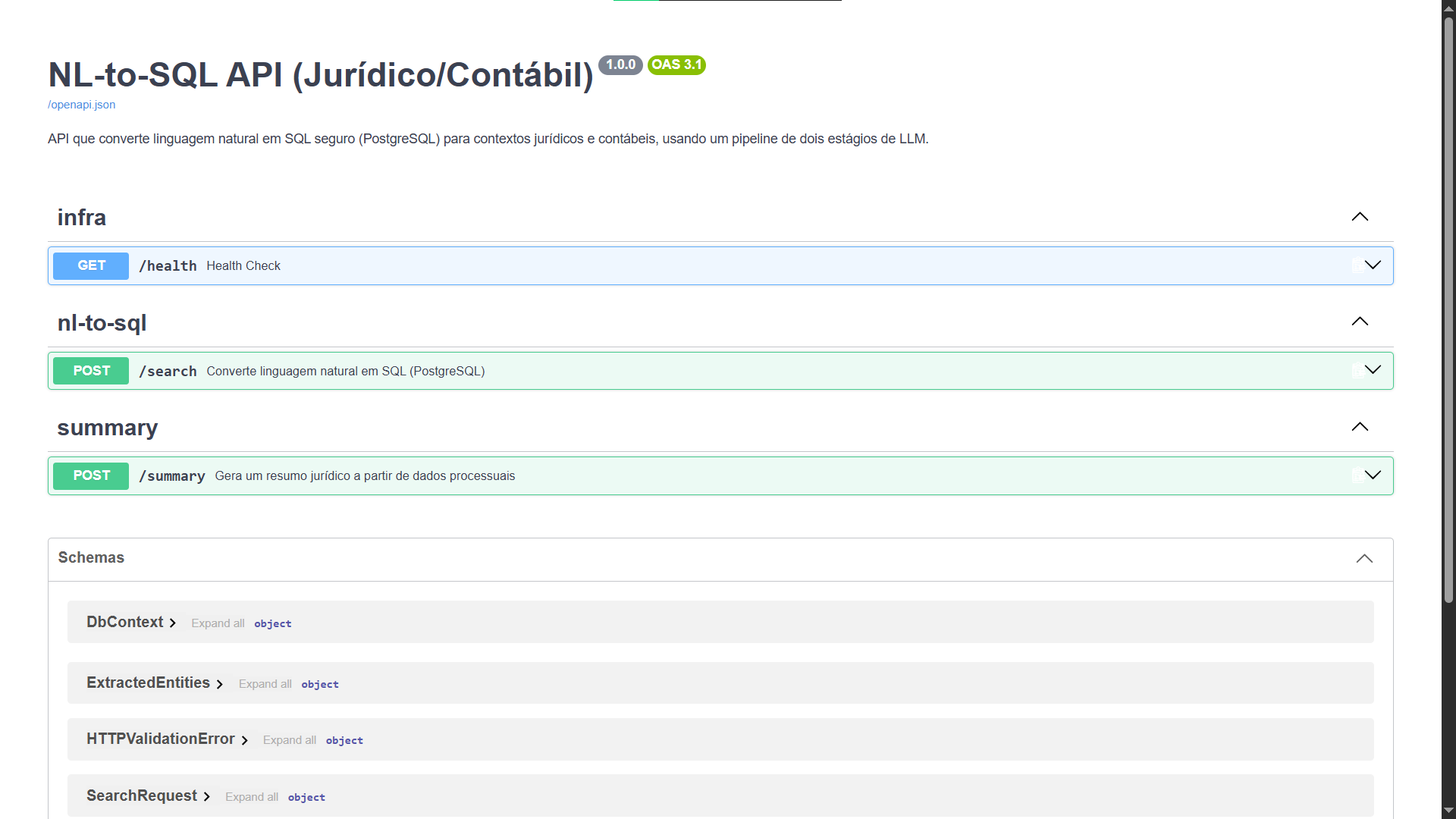
4. Testing the Front + AI integration
With both servers running (Java on 8081 and Python on 8000):
- Go to
http://localhost:8081/ - Navigate to a case
- Click “Generate Summary”
- The frontend makes the request to the AI API and displays the case summary
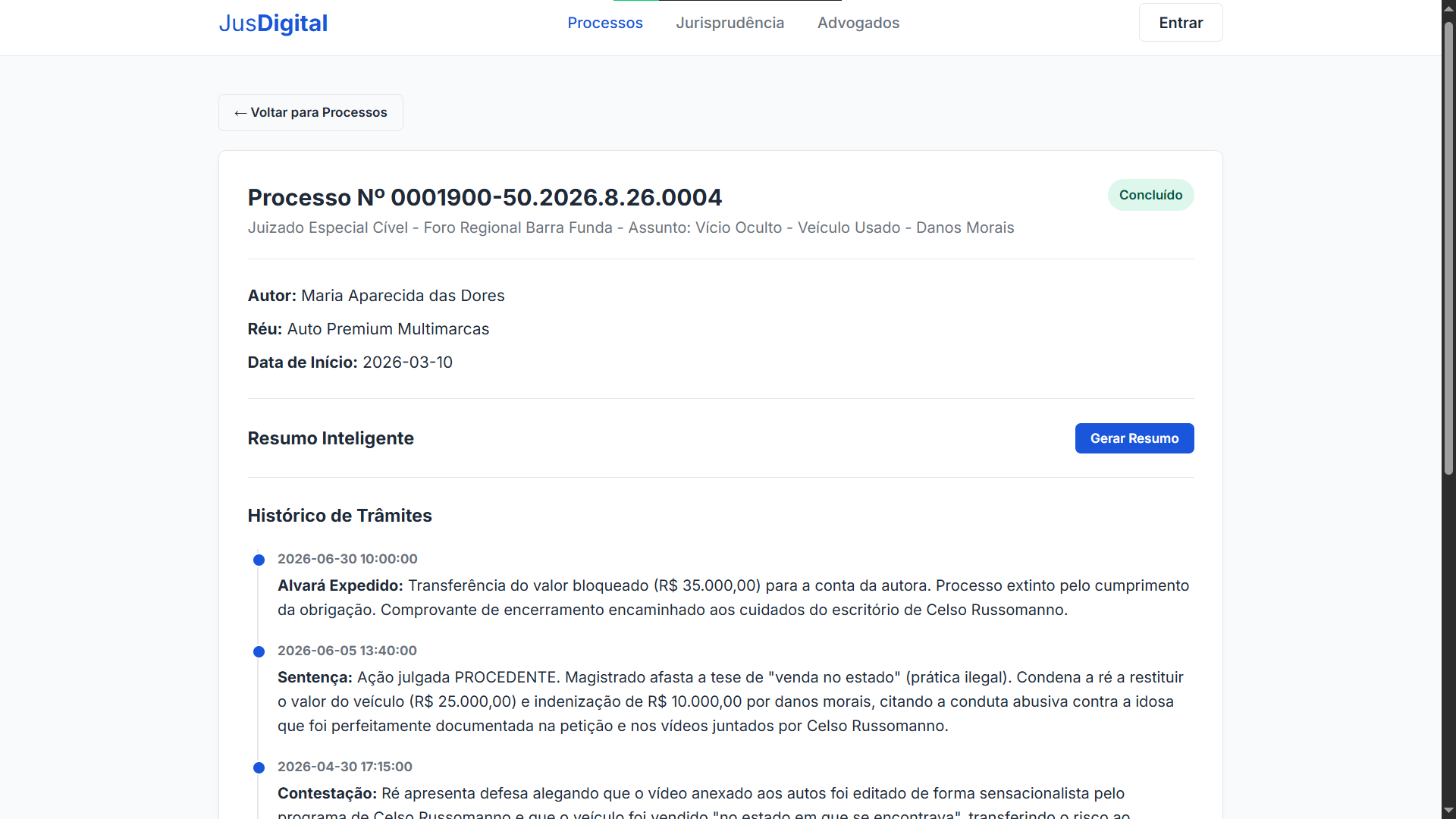
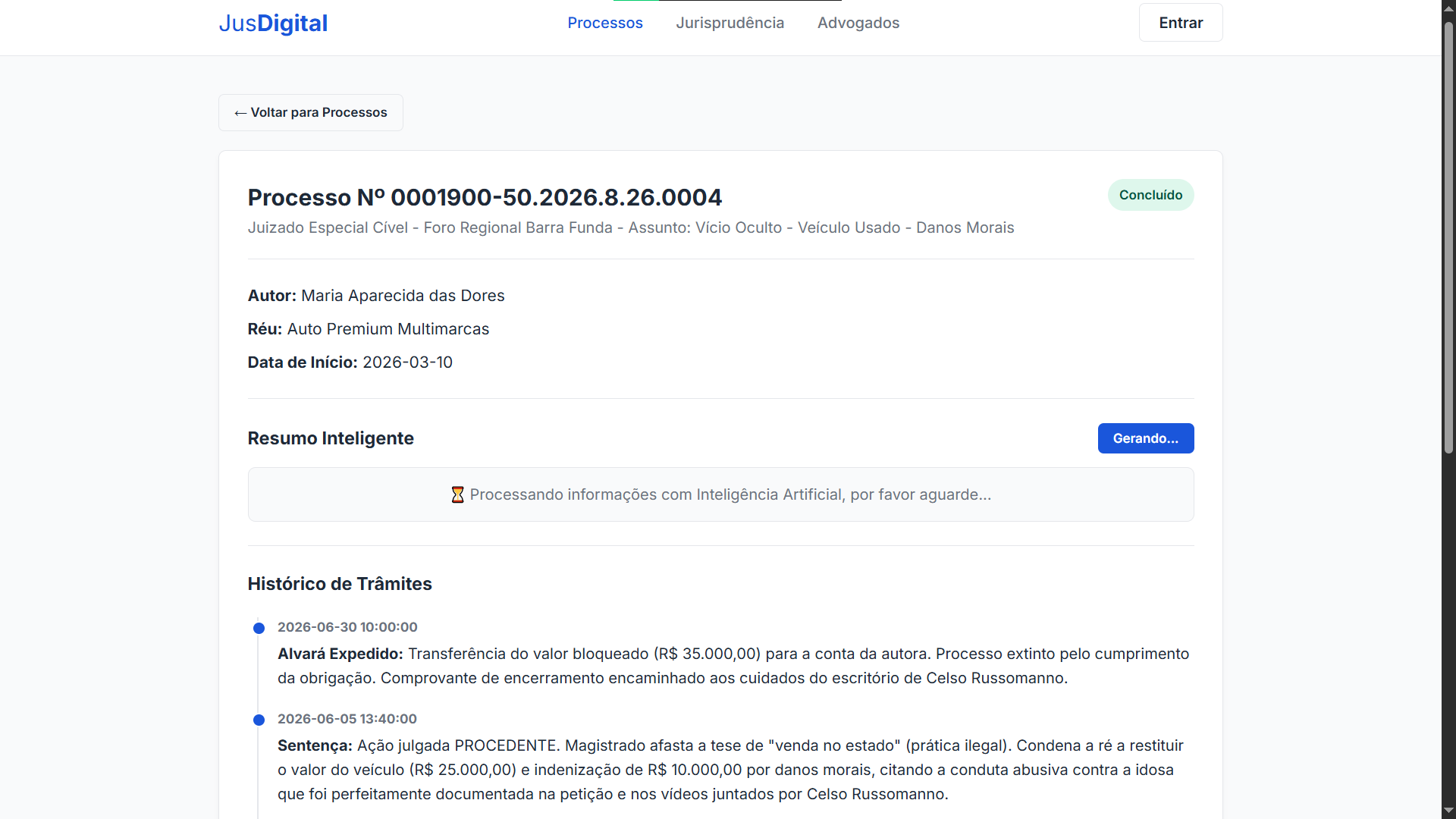
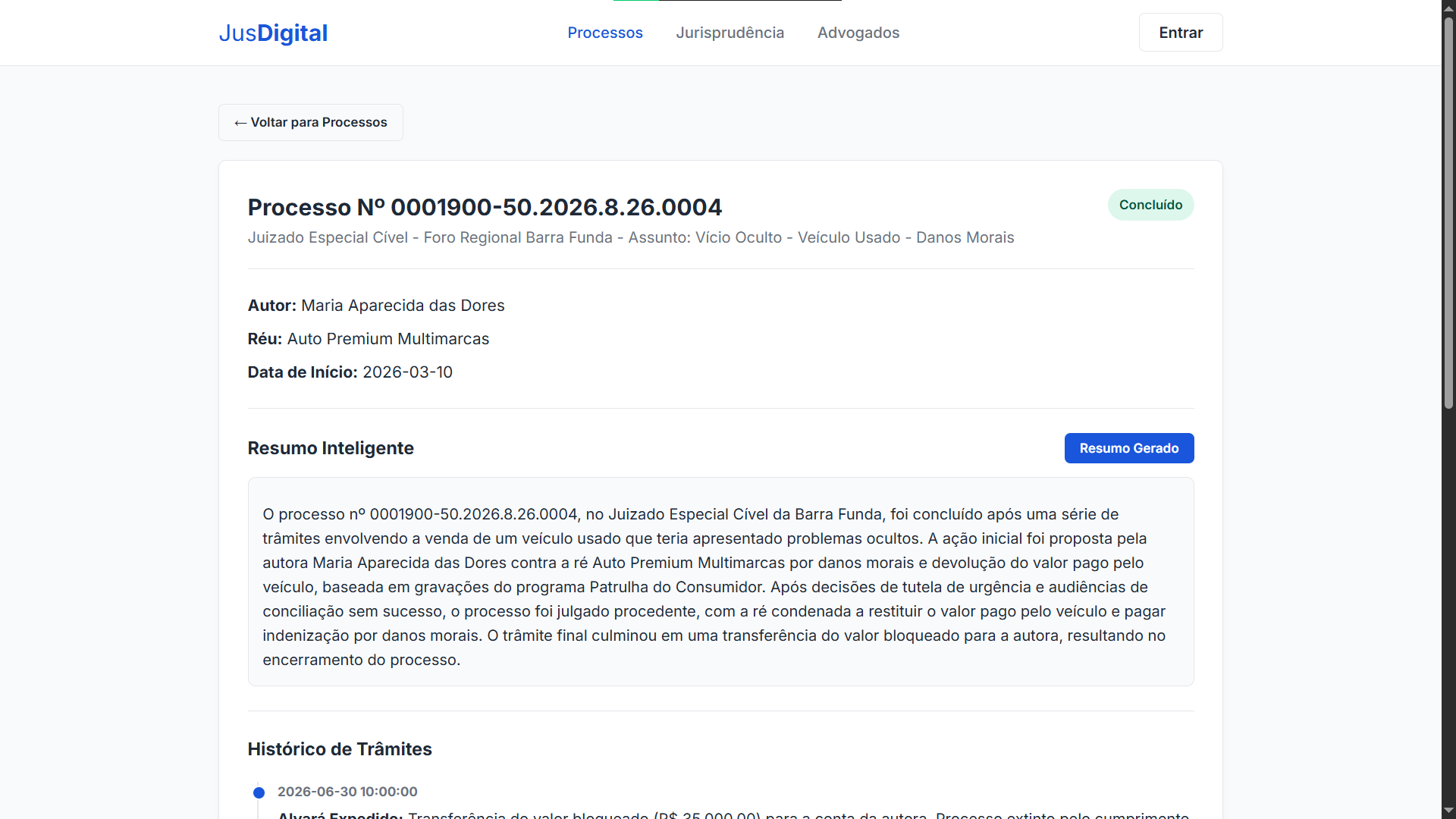
To test the AI API in isolation:
cd LLM-Juridica
python test_client.py
Integration Diagram
┌─────────────────────────────────────────────────────────┐
│                    USUÁRIO (Navegador)                  │
│                  http://localhost:8081                  │
└────────────┬──────────────────────────┬─────────────────┘
             │ fetch("/api/...")        │ fetch("localhost:8000/summary")
             ▼                          ▼
┌────────────────────────┐  ┌──────────────────────────────┐
│   ServidorWeb.java     │  │     FastAPI (LLM-Juridica)   │
│   HttpServer :8081     │  │     Uvicorn :8000            │
│                        │  │                              │
│  ┌─ /api/processos     │  │  ┌─ POST /search             │
│  ├─ /api/processo?id=  │  │  │  ├─ Camada 1: NER         │
│  ├─ /api/advogados     │  │  │  ├─ Camada 2: SQL Gen     │
│  ├─ /api/leis          │  │  │  └─ validate_sql_safety() │
│  ├─ /api/login         │  │  │                           │
│  └─ /api/cadastro      │  │  └─ POST /summary            │
│                        │  │     └─ Camada 3: Resumo      │
└────────────┬───────────┘  └──────────────┬───────────────┘
             │                             │
             ▼                             ▼
┌────────────────────────┐  ┌──────────────────────────────┐
│      PostgreSQL        │  │     Ollama (Qwen 2.5 3B)     │
│   sistema_juridico     │  │     http://localhost:11434   │
└────────────────────────┘  └──────────────────────────────┘
What I Learned
This project started as a college assignment about relational modeling and kept growing. Each stage added a layer of complexity, but also of real usefulness. Some reflections:
On LLMs for SQL: The two-stage pipeline (NER → SQL) is significantly more reliable than throwing the question directly at the model and asking for SQL. Extracting entities first creates a structured intermediate representation that the second stage uses as well-defined input. It’s the same principle as compilers: tokenize first, parse later.
On running AI locally: Qwen 2.5 3B via Ollama is surprisingly capable for focused tasks like SQL generation. No dedicated GPU needed, no external API dependency, no per-token cost. For prototyping, it’s unbeatable.
On LLM security: The regex SQL validation is not a WAF. But the combination of prompt instructions (“SELECT only”) + hard-coded validation in code (“must start with SELECT, cannot contain DROP/DELETE/…”) creates a reasonable defense-in-depth for a project of this scope.
The complete code is available on the GitHub repository.
Course: Banco de Dados II
Institution: Universidade do Estado de Santa Catarina (UDESC) - CCT
Authors: Herton Silveira, Arthur Bertoli Silva
Year: 2025/2026